Light Bulbs



 Outdoor Lights

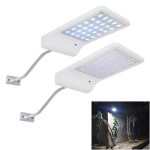
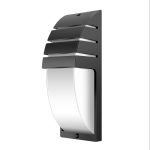

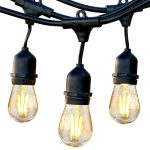
 Wall Lights


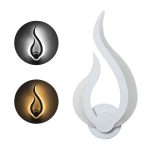



 Lamps


 Ceiling Lights







The F20 error on your Whirlpool Washer means the machine is not detecting water entering the drum or water is filling too slowly. This is typically caused by water supply issues, clogged inlet screens, or a faulty water inlet valve.
| Error code | F20 |
|---|---|
| Meaning | No water detected entering the washer or slow water fill |
| Severity | Medium — Machine will not operate until resolved |
| Time to fix | 15–45 minutes |
| Tools needed | Pliers, small brush or toothbrush, bucket, towel |
What the F20 error means
The F20 error code indicates that your Whirlpool washer is not detecting sufficient water flow into the drum within a specific time period, usually 8 minutes. The washer’s control board monitors water fill through a pressure switch that senses the water level. When the expected water level isn’t reached in time, the machine triggers the F20 error and stops the cycle to prevent damage and alert you to the problem. This error is primarily related to water supply issues rather than drainage problems.
Common causes
- Water supply valves behind the washer are not fully open or turned off
- Clogged inlet screens or filters in the water inlet valve where hoses connect
- Kinked, pinched, or damaged water supply hoses restricting water flow
- Low water pressure in your home (needs at least 20 psi for proper operation)
- Faulty water inlet valve that won’t open or is clogged internally
- Defective pressure switch or air dome hose not properly sensing water level
How to fix the F20 error
- Check water supply valves and hoses: Turn off the washer and locate the hot and cold water valves behind the machine. Ensure both valves are fully turned counterclockwise to the open position. Inspect the supply hoses for kinks, twists, or damage. Straighten any kinks and replace damaged hoses. Turn the valves back on fully.
- Clean the inlet screens: Turn off the water supply valves and unplug the washer. Pull the machine away from the wall for access. Using pliers, carefully disconnect both water supply hoses from the back of the washer (have a bucket and towel ready for drips). You’ll see small mesh screens inside each inlet port. Use pliers or tweezers to gently remove these screens. Rinse them under running water and use a small brush to remove any sediment or debris. Reinstall the screens and reconnect the hoses tightly.
- Test water pressure: Place a bucket under one of the disconnected supply hoses and turn the water valve on briefly. The water should flow strongly and fill a gallon bucket in less than 60 seconds. If flow is weak, you may have a home water pressure issue or the supply lines may need replacement. Check both hot and cold lines separately.
- Inspect the water inlet valve: If screens are clean and water pressure is adequate, the inlet valve itself may be faulty. Located at the back where hoses connect, the valve has electrical solenoids that open to allow water in. With power off, check for visible damage or calcium buildup. Test the valve with a multimeter for continuity (should read 500-1500 ohms). If the valve is clogged or tests outside this range, it needs replacement, which costs $50-$100 for the part.
- Check the pressure switch system: The pressure switch senses water level via an air dome hose. With the washer unplugged, remove the top panel by removing screws at the back. Locate the round pressure switch and attached air hose. Check that the hose is properly connected and not cracked or clogged. Blow through it gently to ensure it’s clear. If the switch or hose is damaged, replace the faulty component.
- Reset and test the washer: After completing repairs, reconnect everything, turn water valves fully on, and plug in the washer. Run a rinse and spin cycle with no clothes to test if the error is resolved. The washer should fill normally within 8 minutes. If the F20 error persists after these steps, you may need professional service to diagnose control board or wiring issues.
FAQ
Can I still use my Whirlpool washer with the F20 error code?
No, you cannot use the washer when the F20 error appears. The machine will not complete any wash cycle because it cannot fill with water properly. The error must be resolved before the washer will operate normally. Attempting to restart the cycle without fixing the underlying issue will result in the same error.
How much does it cost to fix an F20 error on a Whirlpool washer?
If the issue is a closed valve or kinked hose, the fix is free and takes just minutes. Cleaning inlet screens costs nothing but your time (15-20 minutes). If you need to replace the water inlet valve yourself, parts cost $50-$100 and take about 30-45 minutes to install. Professional repair typically costs $150-$250 including parts and labor.
Is the F20 error the same as the FH error on Whirlpool washers?
Yes, the F20 and FH error codes are essentially the same on Whirlpool washers—both indicate a water fill problem. Different Whirlpool models display different code formats, but the meaning and troubleshooting steps are identical. Some models may also show “F20 E1” or display the codes together. All indicate the washer is not detecting proper water fill.