 Light Bulbs


 Outdoor Lights

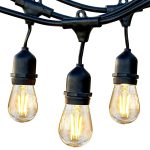
 Wall Lights
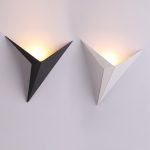
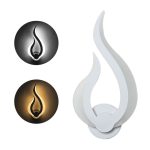

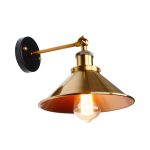
 Lamps
Lamps


 Ceiling Lights


The DE code on your LG washer means the door isn’t locking. Usually it’s a sock caught in the seal or a worn plastic strike — both fixable in under 15 minutes. Don’t confuse DE with DE1 or DE2, which point at specific parts inside the lock and need slightly different checks.
| Error code | DE (also shown as dE) |
|---|---|
| Meaning | Door not locking properly |
| Severity | Medium — mostly DIY |
| Time to fix | 5–60 minutes |
| Tools needed | Phillips screwdriver, Torx T20, multimeter (if testing the lock) |
What the DE error means
LG washers won’t start a cycle until the door lock confirms it’s secured — a safety interlock that stops the drum spinning with the door open. When the control board sends “lock” and doesn’t get “locked” back within a few seconds, it throws DE. The issue is almost always mechanical (door not closing, worn strike) rather than electronic. DE is the general code; DE1 and DE2 are specific failures of the primary and secondary lock switches.
Common causes
- Laundry caught in the door seal blocking full closure
- Worn or bent door strike (the plastic hook on the door)
- Failed door lock assembly (PTC or solenoid burnt out)
- Damaged wiring between the lock and the main control board
- Door hinge sagging so the strike misses the lock hole
- Control board fault (least common)
How to fix the DE error
- Open the door and close it firmly. Push at the latch point, not the glass edge. Check nothing is trapped in the rubber boot — a single sock or a bra strap is enough to block the lock.
- Clean the latch and strike. Wipe detergent residue and lint off the hook on the door and the hole it sits in. Sticky buildup stops full engagement.
- Inspect the strike for damage. The plastic hook on the door cracks over time. If it’s bent, broken, or loose, order a replacement strike for your model — usually under $20.
- Test the door lock with a multimeter. With the washer unplugged, pop off the top panel or front boot clamp to reach the lock. Check continuity across the lock terminals per the tech sheet. No continuity means the lock has failed and needs replacing.
- Check the wiring harness. If the lock tests fine, inspect the wires between the lock and the main PCB for pinched or broken strands. Replace the harness before assuming the control board is dead.
FAQ
What’s the difference between DE, DE1, and DE2?
DE is the general door-open error. DE1 means the primary lock didn’t confirm “locked.” DE2 points at the secondary door switch state mismatch. All three often end with a lock assembly replacement, but DE1 and DE2 are more likely to need it.
Can I bypass the DE error to finish a load?
No — the door interlock is a safety feature to stop water leaking or the drum spinning with the door open. Bypassing it also voids the warranty.
Why does DE show up mid-cycle when the door was closed?
Vibration jars a weak latch loose, or a failing PTC in the lock heats up and loses continuity after a few minutes of running. Either way, the lock is near end-of-life.