 Light Bulbs

 Outdoor Lights
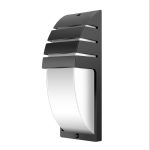

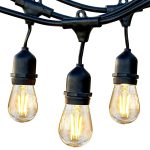
 Wall Lights
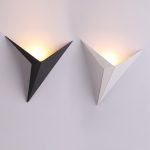
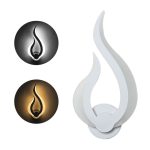

 Lamps
Lamps


 Ceiling Lights


CL on an LG washer isn’t actually an error. It’s the child lock indicator, and it disables the control buttons until you turn it off — usually by holding the Child Lock button for three seconds. Most people hit it by accident while wiping down the panel.
| Code | CL (child lock indicator) |
|---|---|
| Meaning | Child lock is active |
| Severity | None — not a fault |
| Time to fix | Under 1 minute |
| Tools needed | None |
What the CL “error” means
Your washer has a built-in child lock that blocks button presses so kids — or cats walking across the panel — can’t change the cycle mid-wash. When CL is showing, the panel is disabled: only the Power button still works. It’s a feature, not a fault, and turning it off is a single button press. People find this page by searching “CL error” because the display makes it look like one.
Common causes
- Child Lock toggled on intentionally
- Button pressed by accident while cleaning the panel
- A child or pet pressing buttons
- Moisture on a capacitive touch panel triggering the button
- Stuck or shorted Child Lock button (rare)
How to turn off CL
- Press and hold the Child Lock button for three seconds. It’s marked with a padlock icon on most models. You’ll hear a chime and CL disappears from the display.
- Check for a two-button combo on older models. Some LG washers need two buttons held together — commonly Pre Wash + Rinse, or Temp + Rinse, depending on your model. The combo is printed on the control panel and in the manual.
- Power cycle the washer. If the buttons don’t respond, unplug for 60 seconds and plug back in. This resets the control board and clears any stuck signal.
- Dry the control panel. Condensation or detergent splash on a capacitive touch panel can re-trigger CL after you clear it. Wipe it down with a dry cloth.
- If CL keeps reactivating on its own, the Child Lock button is physically stuck or the touch panel has failed. That’s a panel replacement job.
FAQ
Is CL actually an error code?
No — CL is a feature indicator, not a fault. The washer still works fine; you just need to disable the lock before you can change settings or start a new cycle.
Why won’t my CL turn off when I press the button?
You need to hold it for a full three seconds. A quick tap won’t toggle it. If a three-second hold does nothing, unplug the washer for a minute.
CL came on without anyone pressing anything. Is that normal?
Occasional ghost activation happens from water on the panel or a power blip. If it keeps happening, the touch panel is starting to fail.